


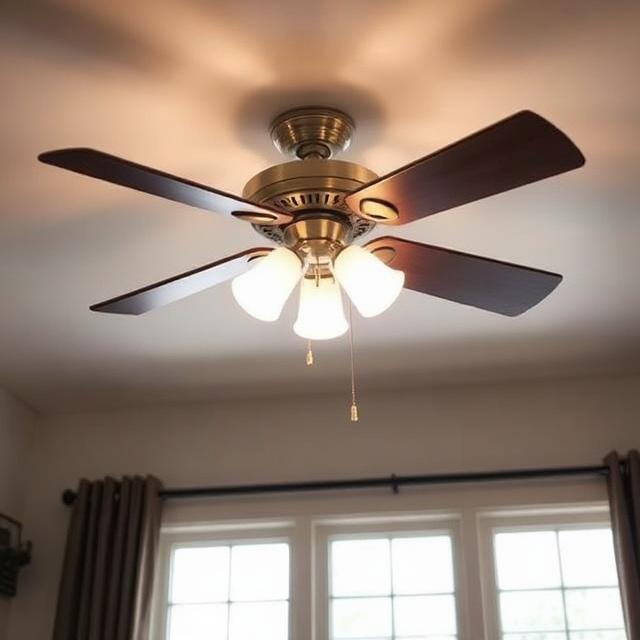
Upgrading your home comfort often comes down to simple, impactful changes. Adding a ceiling fan with light and remote to your living space completely transforms how you experience your home. You no longer have to reach for a pull chain in the dark or settle for a single fan speed. Instead, you get complete control over your environment with the simple press of a button.
- Why Every Home Needs a Ceiling Fan with Light and Remote
- Illuminating Your Space Beautifully
- Maximizing Energy Savings Year-Round
- Embracing the Future: Smart Technology
- Elevating Your Home Décor
- Choosing the Right Size and Fit
- A Quick Feature Comparison
- Navigating the Installation Process
- Keeping Your Fan in Top Condition
- Final Thoughts on Your Home Upgrade
Whether you want to cool down a stuffy bedroom, brighten up a dark living room, or simply add a touch of elegance to your patio, modern ceiling fans offer the perfect solution. They combine cutting-edge technology with beautiful aesthetics to create a highly functional piece of home hardware. We will explore everything you need to know about choosing, installing, and enjoying the perfect fan for your space.
Why Every Home Needs a Ceiling Fan with Light and Remote
The days of clunky, noisy ceiling fans are long gone. Today, manufacturers build fans with user experience at the forefront. Investing in a high-quality ceiling fan with light and remote brings multiple benefits to your daily life, improving both the feel and function of your home.
Unmatched Convenience at Your Fingertips
We have all experienced the frustration of getting perfectly comfortable in bed or on the couch, only to realize the room is too warm or the lights are still on. A fan equipped with a remote control solves this problem instantly. This feature provides ultimate convenience, allowing you to adjust the fan speed, turn the light on or off, and even set a sleep timer without ever having to stand up.
For people with limited mobility, elderly family members, or anyone who simply appreciates a streamlined home experience, this level of control is invaluable. You can keep the remote on your nightstand, attach it to the wall near the light switch, or leave it on the coffee table.
Superior Air Circulation and Quiet Operation
A primary reason for installing any fan is to improve the air circulation in your home. Stagnant air can make a room feel stuffy, hot, and uncomfortable. A well-designed fan pushes air throughout the space, creating a gentle breeze that cools your skin and makes the room feel several degrees colder than it actually is.
Modern motors also guarantee quiet operation. Older fans often featured motors that hummed, buzzed, or clicked, which could easily disrupt your sleep or ruin a quiet evening reading a book. Newer models, especially those built with Direct Current (DC) motors, operate in near silence. You get all the cooling power you need without any of the irritating background noise.
Illuminating Your Space Beautifully
Adding a light fixture to your ceiling fan maximizes the utility of your ceiling space. Instead of choosing between a central light fixture and a fan, a ceiling fan with light and remote gives you the absolute best of both worlds.
The Power of an Integrated LED Light
Traditional incandescent bulbs consume a lot of electricity and burn out frequently. That is why the best modern fans come with an integrated LED light kit. LED technology provides bright, clear illumination while using a fraction of the electricity required by older bulbs. Furthermore, LED modules last for tens of thousands of hours. You will rarely, if ever, need to climb a ladder to change a burnt-out bulb.
Setting the Mood with Dimmable Lights
Lighting plays a massive role in how a room feels. Bright light helps you focus on tasks like cooking, cleaning, or working from home. However, you likely want softer lighting when you sit down to watch a movie or relax before bed.
Fans featuring dimmable lights allow you to adjust the brightness to match your exact mood and needs. Using your remote, you can smoothly transition from brilliant task lighting to a warm, cozy glow. Some advanced models even let you change the color temperature, letting you swap between a crisp cool white for the daytime and a warm, relaxing yellow for the evening.
Maximizing Energy Savings Year-Round
Many people assume that running appliances constantly will cause their electricity bills to skyrocket. However, ceiling fans actually help you lower your monthly utility costs when used correctly.
Choosing an Energy-Efficient Design
When shopping for a ceiling fan with light and remote, look for models specifically labeled as energy-efficient. Fans equipped with DC motors use up to 70% less electricity than standard AC motor fans. Because the motor does not have to work as hard to generate torque, it uses minimal power to keep the blades spinning at high speeds. This impressive efficiency translates directly to noticeable energy savings on your monthly power bill.
The Magic of Reversible Blades
You might think of your ceiling fan strictly as a summer cooling tool, but it also plays a vital role in keeping you warm during the winter. High-quality fans feature reversible blades or a reversible motor function.
During the summer, you set the fan to spin counterclockwise. This pushes air straight down, creating a wind-chill effect that cools you off. In the winter, warm air from your heating system naturally rises to the ceiling. By switching your fan to spin clockwise at a low speed, it creates an updraft. This gentle updraft pushes the trapped warm air back down the walls and into the living space. You can run your heater at a lower temperature while staying just as warm, saving you even more money.
Embracing the Future: Smart Technology
The smart home revolution has officially reached ceiling fans. If you want to take your home automation to the next level, upgrading to a smart fan is a brilliant choice.
The Benefits of Being Wi-Fi Enabled
A Wi-Fi enabled ceiling fan connects directly to your home internet network. This allows you to control the fan using an app on your smartphone, even when you are away from home. You can turn the fan on before you leave the office so you arrive to a cool, refreshing house.
Additionally, smart technology allows your fan to integrate seamlessly with voice assistants like Amazon Alexa, Google Assistant, or Apple HomeKit. If your hands are full carrying groceries or holding a baby, you can simply say, “Turn on the living room fan,” and the fan will spring to life. You can also set schedules, programming the fan to slow down automatically during the night or turn off the lights at a specific time.
Elevating Your Home Décor
Your ceiling fan is a prominent fixture in your room, meaning it should look just as good as it performs. You no longer have to compromise on style to get great air movement.
Modern Design and Stylish Options
Manufacturers now prioritize aesthetics just as highly as functionality. You can easily find a ceiling fan with light and remote that perfectly matches your unique home décor.
Whether you prefer the sleek, clean lines of a modern design, the rustic charm of a farmhouse aesthetic, or the bold look of an industrial metal fan, there is a stylish option out there for you. You can choose from various finishes, including matte black, brushed nickel, oil-rubbed bronze, and crisp pure white. The blades themselves come in different materials like carved wood, lightweight acrylic, or stamped metal, allowing you to customize the look to fit your personal taste.
Choosing the Right Size and Fit
To get the most out of your new fan, you must select the correct size and mounting style for your specific room. Installing a fan that is too small will leave you sweating, while a fan that is too large can overwhelm the space.
Navigating Ceiling Height
Your ceiling height dictates the type of mount you need. Safety guidelines dictate that fan blades should sit at least seven feet above the floor to prevent accidents.
When to Use a Flush Mount
If your room has a low ceiling (under eight feet), you must opt for a flush mount fan, sometimes called a “hugger” fan. This design anchors the motor housing directly against the ceiling without using a downrod. This keeps the blades safely out of the way while still providing excellent downward airflow.
If you have high or vaulted ceilings, you will need to use an extended downrod to lower the fan to the optimal height. This ensures you actually feel the breeze moving through the lower half of the room where you live and relax.
Versatility for Indoor and Outdoor Use
Do not limit your comfort to the inside of your house. Many people love spending time on their covered porches, patios, or pergolas. Fortunately, you can purchase fans specifically rated for indoor and outdoor use.
If you plan to install a fan outside, you must check its rating. “Damp-rated” fans can handle the moisture and humidity of a covered patio, but they cannot take direct rain. “Wet-rated” fans feature highly sealed motors and weather-resistant blades, meaning they can withstand direct rain, snow, and hose-downs. Installing a durable outdoor fan with a remote ensures you can enjoy a cool breeze during a mid-summer barbecue without leaving your patio chair.
A Quick Feature Comparison
To help you organize your thoughts while shopping, here is a quick breakdown of standard versus premium features to look for in a ceiling fan with light and remote.
| Feature Category | Standard Fan Options | Premium Fan Options |
| Motor Type | AC Motor (Reliable, uses more power) | DC Motor (Ultra-quiet, highly efficient) |
| Lighting | Standard bulbs (Require replacing) | Integrated LED (Long-lasting, color-changing) |
| Controls | Basic remote (Speed and power) | App control, Voice control, Wi-Fi connectivity |
| Placement | Indoor use only | Damp or Wet-rated for outdoor environments |
| Design | Basic functional aesthetic | Carved wood blades, sleek contemporary finishes |
Navigating the Installation Process
Putting up a new ceiling fan might seem intimidating, but most modern fans are designed for straightforward installation. If you have basic DIY skills and understand standard electrical safety, you can often complete the project in a couple of hours.
Pre-Installation Safety
Before you touch any wires, you must turn off the power at your home’s main breaker box. Never attempt to install a ceiling fan while the electricity is live. You also need to ensure that the electrical box in your ceiling is specifically rated to hold the heavy weight and dynamic motion of a ceiling fan. Standard light fixture boxes cannot support a spinning fan and will eventually pull out of the ceiling.
Wiring and Assembly
Once the power is off and the correct box is secured, you will follow the manufacturer’s instructions to attach the mounting bracket. You will then connect the house wires to the fan wires—typically matching black to black, white to white, and connecting the green or bare copper grounding wires.
Syncing the Remote
After you secure the motor housing and attach the blades, you will need to sync the remote. Most modern fans use a small receiver unit that slides into the mounting bracket above the motor. Once you restore power to the room, you generally press and hold a pairing button on the remote for a few seconds. The fan’s light will usually blink to confirm that the remote has successfully paired.
If you feel unsure about dealing with electrical wiring, it is always best to hire a licensed electrician. They will ensure your ceiling fan with light and remote is installed safely, securely, and correctly.
Keeping Your Fan in Top Condition
Once your fan is up and running, a little bit of basic maintenance will keep it spinning perfectly for years to come.
Dust accumulates on the leading edge of fan blades quickly. If too much dust builds up, it can unbalance the fan, causing it to wobble or make a ticking sound. Turn the fan off and use a microfiber duster or a damp cloth to wipe down the top and bottom of each blade every few weeks.
If you notice a wobble even after cleaning, check the screws connecting the blades to the motor. Over time, the constant vibration can cause these screws to loosen slightly. Tightening them with a screwdriver usually solves the problem immediately.
Final Thoughts on Your Home Upgrade
Creating a comfortable, inviting living space requires appliances that work for you, not against you. Installing a ceiling fan with light and remote is one of the easiest ways to upgrade your daily routine. By combining brilliant lighting, whisper-quiet motors, and effortless wireless control, these modern fixtures elevate the atmosphere of any room.
Whether you prioritize high-tech smart features, gorgeous architectural design, or maximum electricity savings, the current market offers a perfect fan for your specific needs. Take the time to measure your space, consider your ceiling height, and pick a design that makes you smile every time you walk into the room. Stay cool, stay comfortable, and enjoy the perfect breeze exactly when you want it.